
AI for e-commerce: six jobs worth automating in a Shopify store
By Vikas Reddy, Founder, Valior
The short answer
The best places for AI in a small store are the repeat jobs around each order: answering "where is my order?", flagging low stock, replying to reviews, sorting returns, tidying product data and writing the weekly numbers. Start with order questions. They're the most frequent and the easiest to check.
Monday morning in a small store
Nine emails asking where an order is. Two returns with no reason given. A one-star review from Saturday that's sitting unanswered. A bestseller that quietly went out of stock on Sunday. You haven't touched marketing yet, and it's 11am.
None of it is hard. It's just constant, and it lands on whoever is closest to the inbox.
Six jobs worth automating
1. "Where is my order?" replies
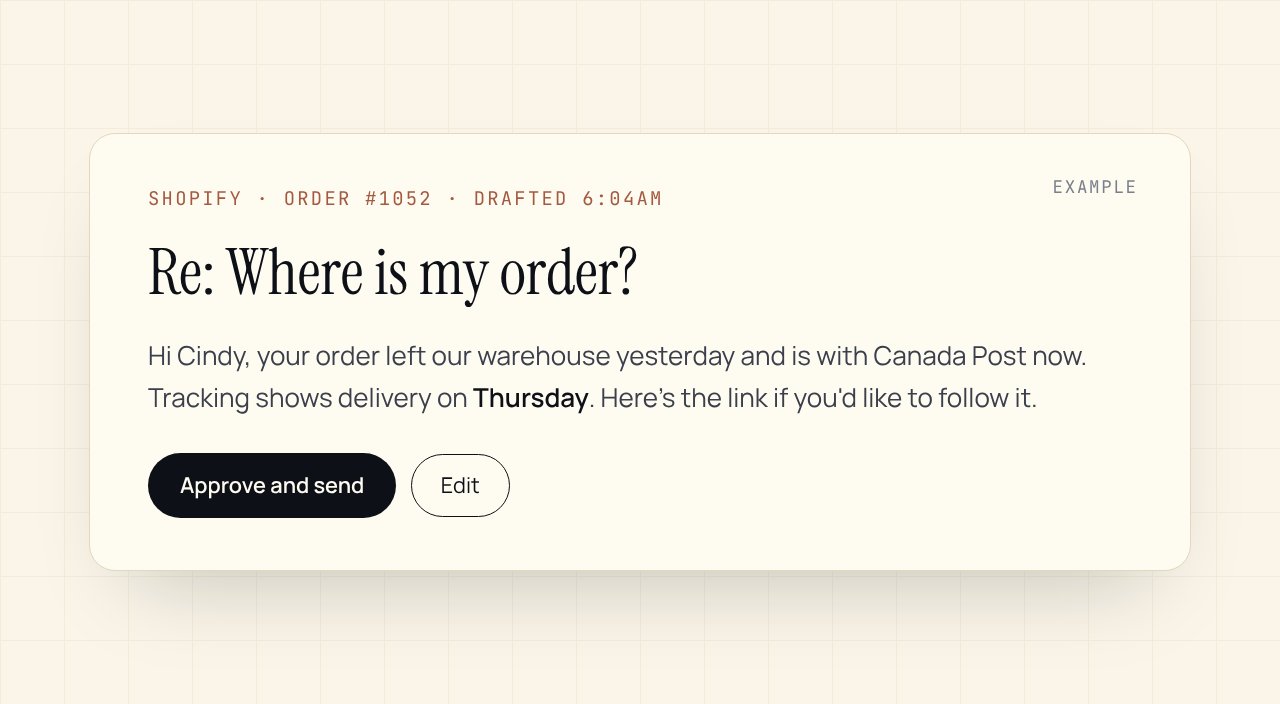
The most common question in e-commerce, and the easiest to automate well. A workflow reads the email, looks up the order and tracking, and drafts a reply with the real status and date. You approve it, or let simple cases go out on their own once you trust it.
Watch out for: delayed orders. Those need a human apology, not a template.
2. Low-stock and out-of-stock alerts
Shopify Flow, which comes with Shopify, can watch inventory and alert you before a bestseller runs out. Add AI on top to write the supplier reorder email for you to send.
3. Review replies
Every review deserves a reply. Few stores manage it. AI drafts a reply that mentions what the customer actually said, and you approve it in a batch once a day. Bad reviews always come to you first.
4. Returns sorting
Return requests arrive in every shape. AI reads each one, sorts it by reason (wrong size, damaged, changed mind), checks it against your policy and drafts the response. You decide anything outside the policy.
5. Product data clean-up
Missing alt text, inconsistent titles, half-filled tags. AI is good at tidying these in bulk, which helps both search and your own reporting. Review a sample before you publish the batch.
6. The weekly numbers, in plain words
A short note every Monday: what sold, what didn't, what's low, what customers complained about. AI writes it from your Shopify data so you don't build the report yourself.
What we wouldn't automate
- Refunds and cancellations. Let AI prepare them. A person presses the button.
- Pricing changes. Too easy to get wrong at scale.
- Replies to angry customers. Draft, yes. Send, no.
The tools, briefly
| Job | Simple version | Fuller version |
|---|---|---|
| Order questions | Your helpdesk's AI reply drafts | Workflow that pulls live tracking and drafts a reply for approval |
| Stock alerts | Shopify Flow | Flow plus an AI-written reorder email |
| Reviews | Your review app's reply tools | Daily batch of AI drafts you approve |
| Returns | Returns app rules | AI sorting with your policy, human for exceptions |
| Weekly numbers | Shopify reports | AI summary sent every Monday |
Use what you already pay for first. Connect tools with Zapier, Make or n8n only when the built-in options run out.
How to start without breaking anything
- Pick one job, usually order questions.
- Run it in draft mode for a week. Nothing sends on its own.
- Count how many drafts you sent as written.
- When most go out unchanged, let the simplest cases send on their own.
One last thing
Customers don't mind fast answers from a system. They mind wrong ones. Keeping a person on the approve button is what lets you move fast without that risk.
Curious what these jobs cost you now? The free AI Readiness Scorecard asks 18 questions and shows the yearly cost of your manual work. Or see how we build it in the e-commerce order automation playbook.
Related Playbook
E-commerce order and notification automation
Every Shopify order triggers an end-to-end flow: inventory check, shipping label, customer SMS + email, post-purchase follow-up, and review request without anyone touching the spreadsheet.
Read the playbookCommon questions
Is Shopify Flow enough on its own?+
For alerts, tagging and simple rules, often yes. It comes with Shopify. When you need AI-written replies, data from other tools or an approval step, you add a connector like Zapier, Make or n8n.
Will AI replies annoy my customers?+
Wrong replies do. Accurate, fast ones don't. That's why we start in draft mode, with a person approving every reply until the drafts are reliably right.
How long does a setup like this take?+
One job, like order questions, is usually live in a couple of weeks. A full set of order, review and returns workflows takes longer and depends on your apps.
Want this set up in your business?
Free 30-min audit. We tell you straight what's worth automating and what isn't.
Grab the AI Automation Audit Checklist
A 12-point checklist to score your workflows before you spend a dollar on automation. Email-gated, no follow-up sequence.
Keep reading
One workflow, every two weeks
The trigger, the tools, the steps and the hours it saved. No roundups.